Overview
Use this article when you need help with the Abbott Education Network and the Knowledge Base articles do not resolve your issue. You can access the Help Center to browse support articles or submit a support ticket.
Steps
Step 1: Access the Help Center
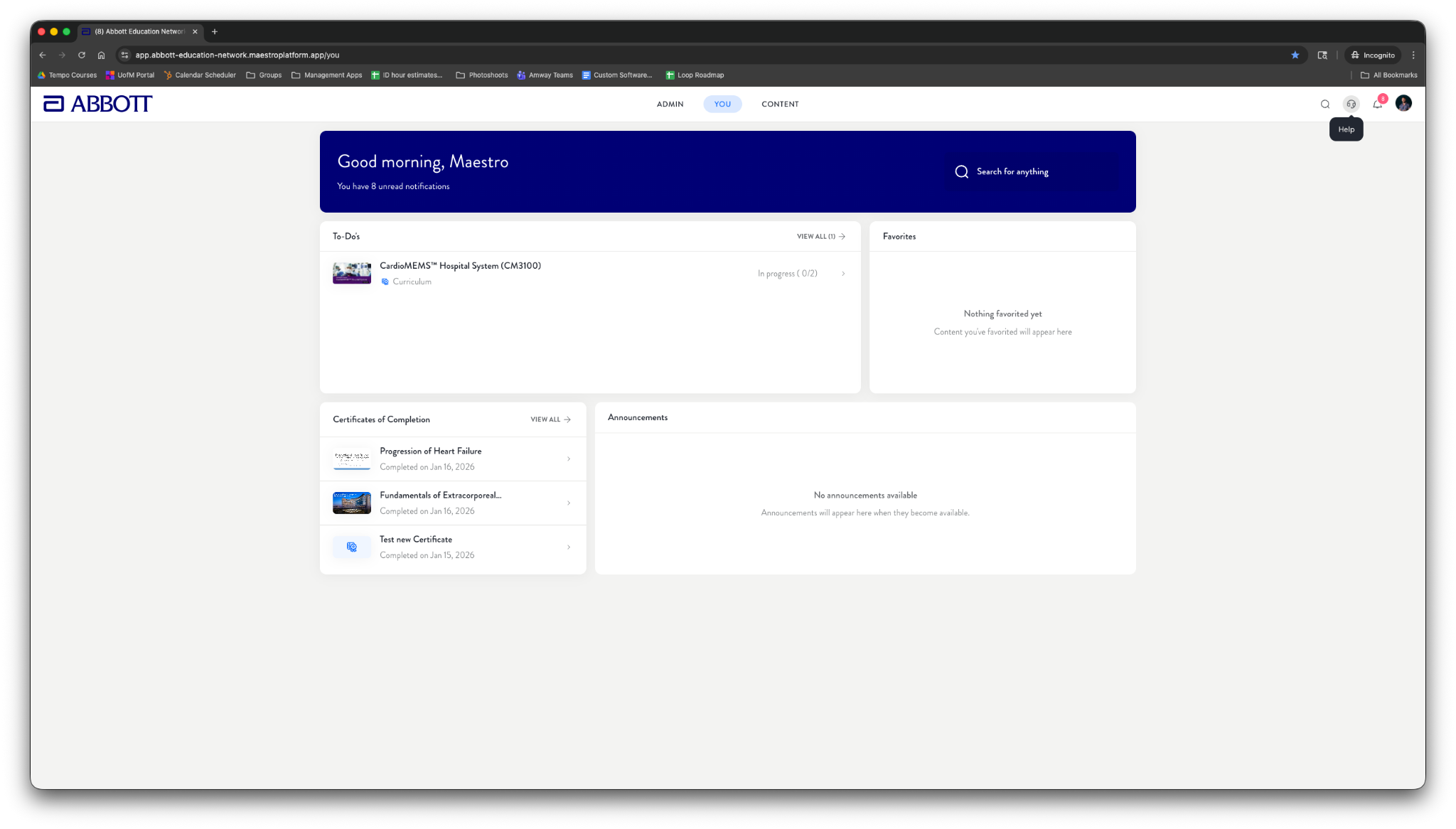
In the top-right corner of the Abbott Education Network, select the Help icon (headset).
You will be taken to the Help Center.
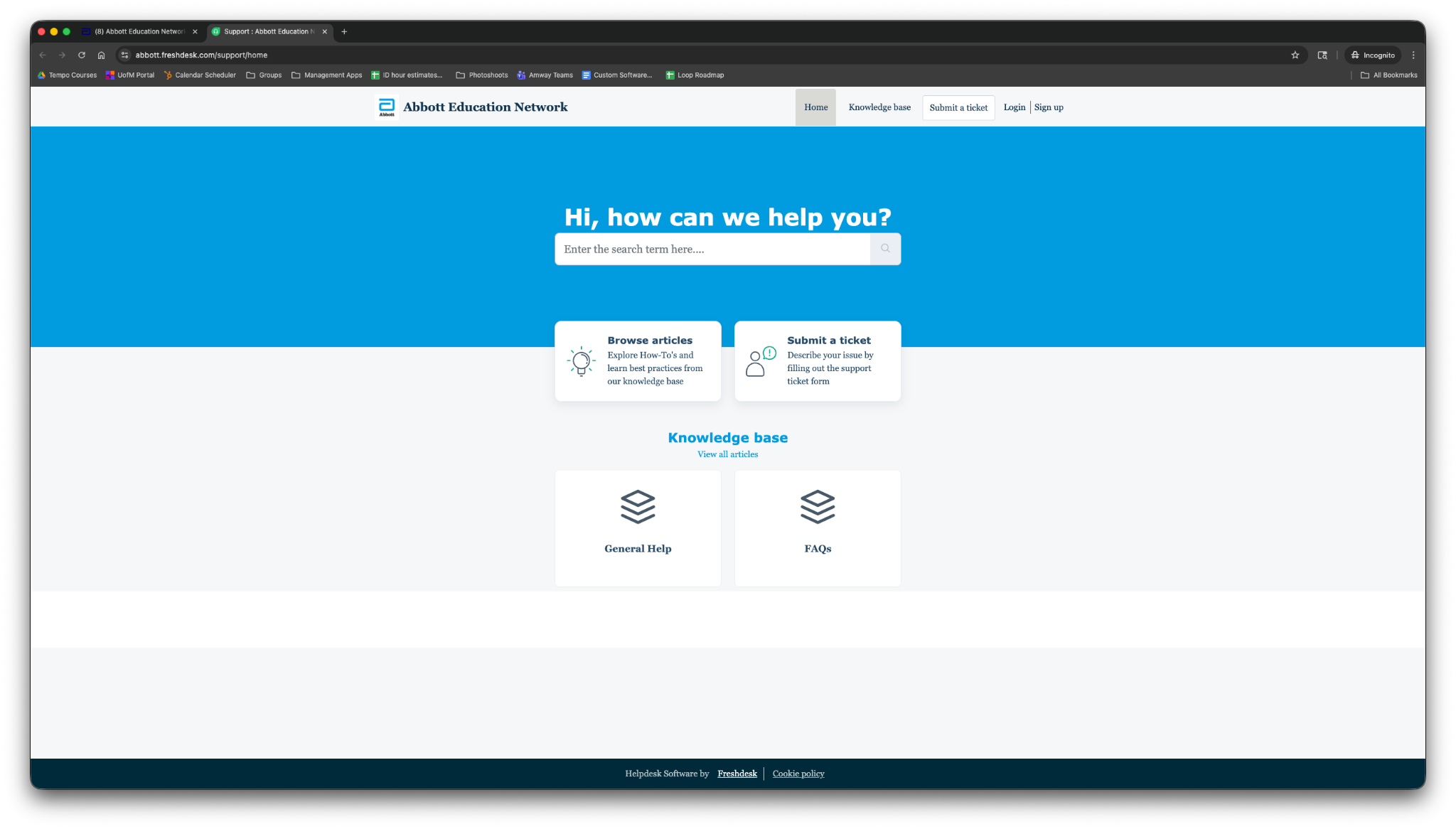
From the Help Center, you can:
Browse articles in the Knowledge Base, or
Submit a ticket to contact Support
Step 2: Browse Support Articles
In the Help Center, select Browse articles (or open the Knowledge base tab).
Use the search bar or category tiles to find relevant help content.
Step 3: Submit a Support Ticket
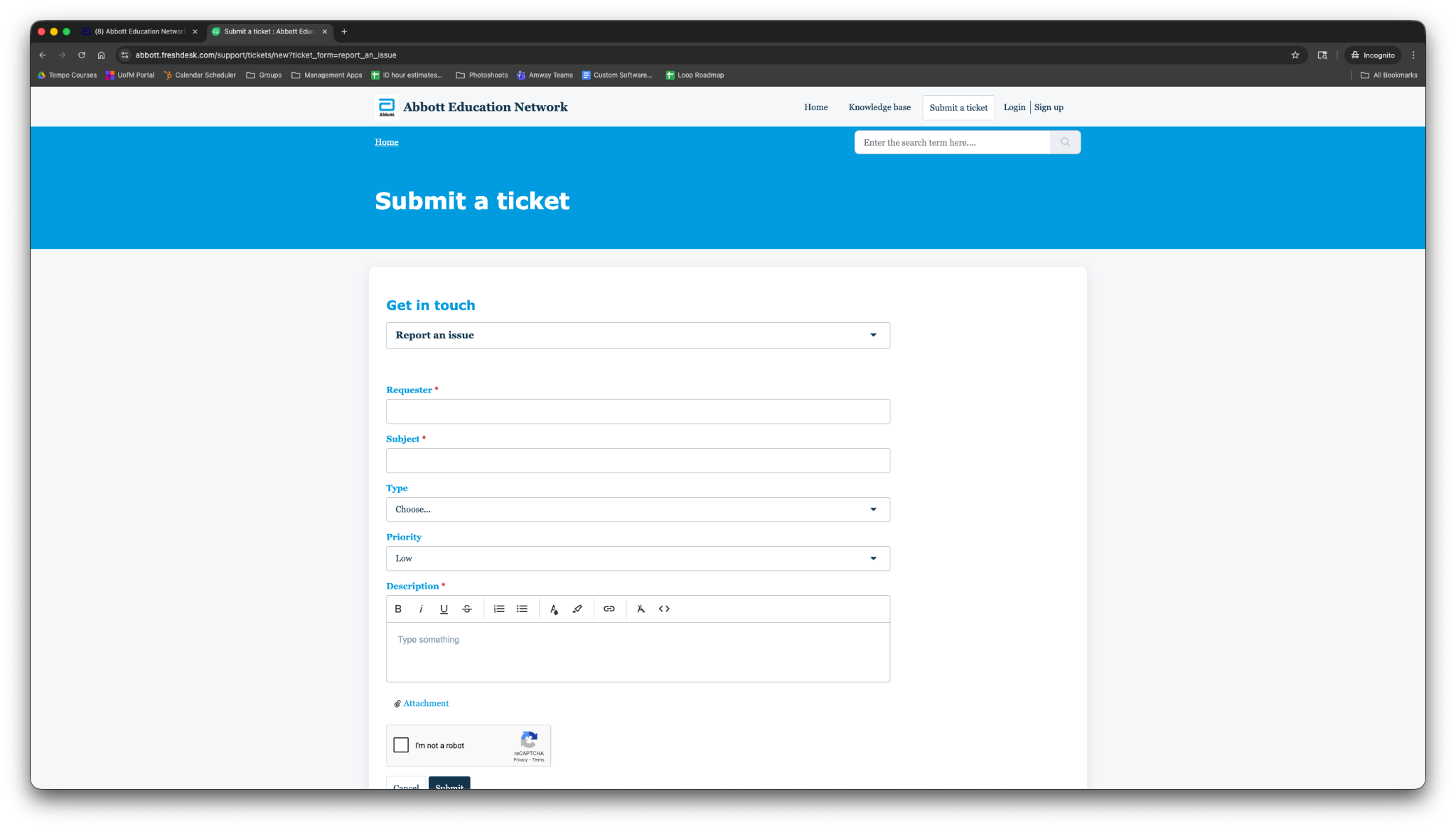
In the Help Center, select Submit a ticket.
In the ticket form, select Report an issue from the dropdown.
Complete the form fields, including:
Requester information
Subject
Type
Description of the issue
Add any supporting attachments (screenshots, error messages, etc.).
Select Submit.
Step 4: After You Submit a Ticket
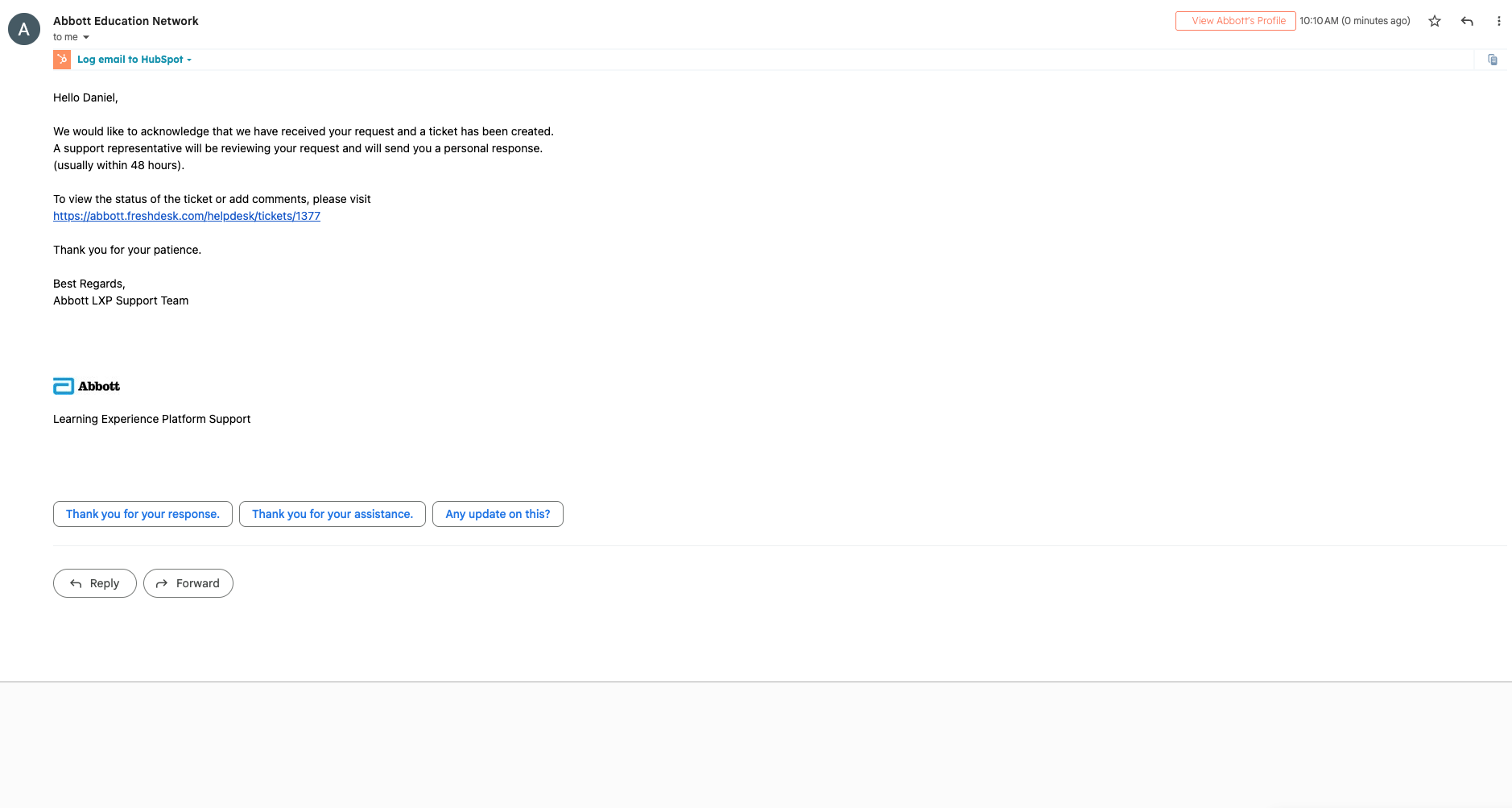
You will receive a confirmation email acknowledging your ticket submission.
The email includes a link you can use to view ticket status or provide additional information.
A Support agent will review your request and respond as soon as possible.
Tips
Include as much detail as possible (what you were doing, what you expected, and what happened).
Attach screenshots whenever available — they help speed up resolution.
Related Articles
Was this article helpful?
That’s Great!
Thank you for your feedback
Sorry! We couldn't be helpful
Thank you for your feedback
Feedback sent
We appreciate your effort and will try to fix the article