Overview
Use this article to learn how to browse available training and enroll in a curriculum in the Abbott Education Network. Enrolling allows you to begin completing the required learning activities within that curriculum.
Steps
Step 1: Open the Content Library
From the top navigation bar, select the Content tab.
You will see a list of folders that represent different subjects, product areas, or training categories.
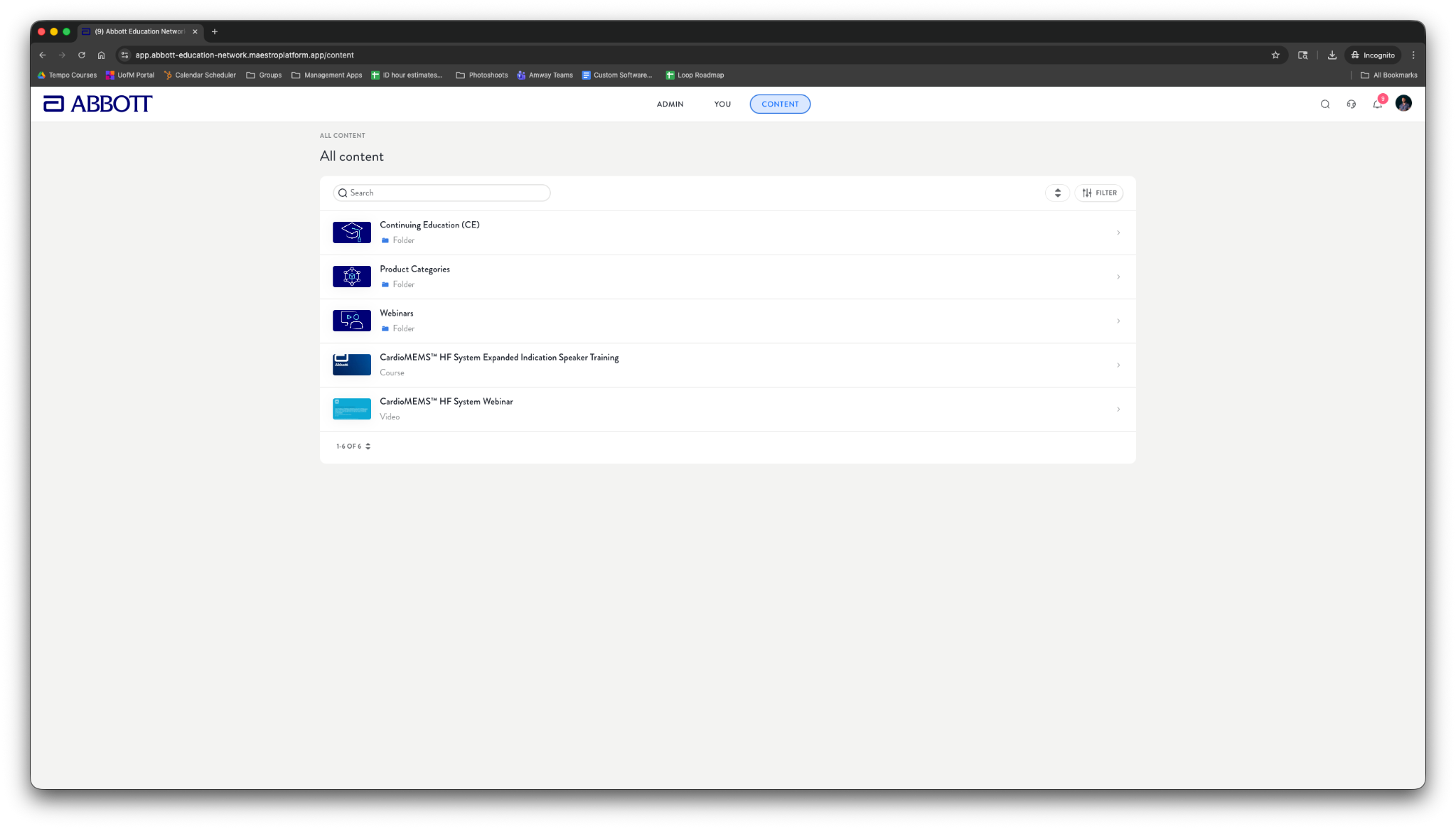
Step 2: Browse to a Curriculum
Select a folder that matches your area of interest.
Inside the folder, locate the curriculum you want to enroll in.
Select the curriculum title to open the curriculum details.
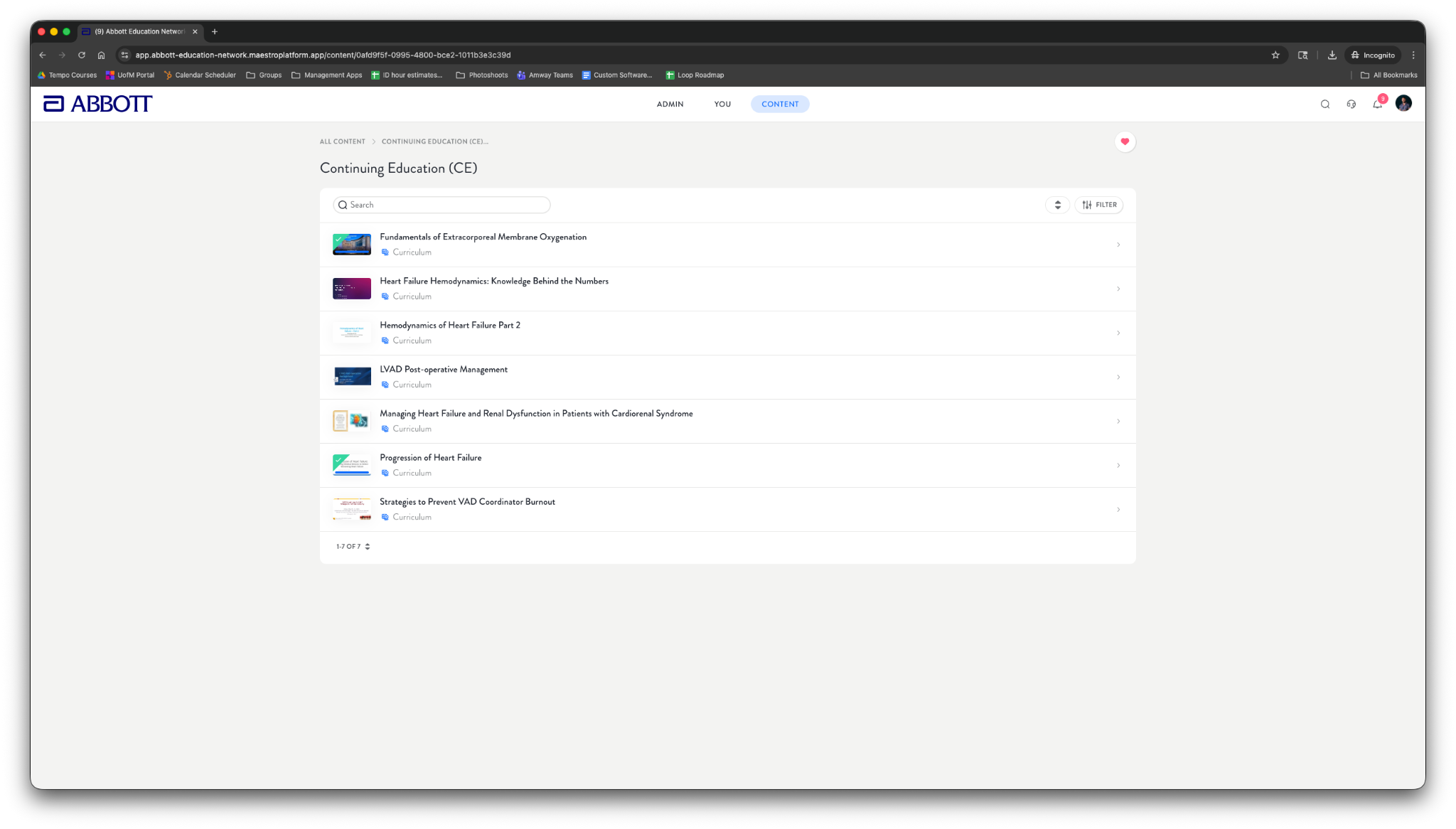
Step 3: Review Curriculum Details
When you select a curriculum, a details window (modal) opens. This includes:
A Description of the curriculum
The Requirements (required content you must complete)
An Enroll button in the top-right corner
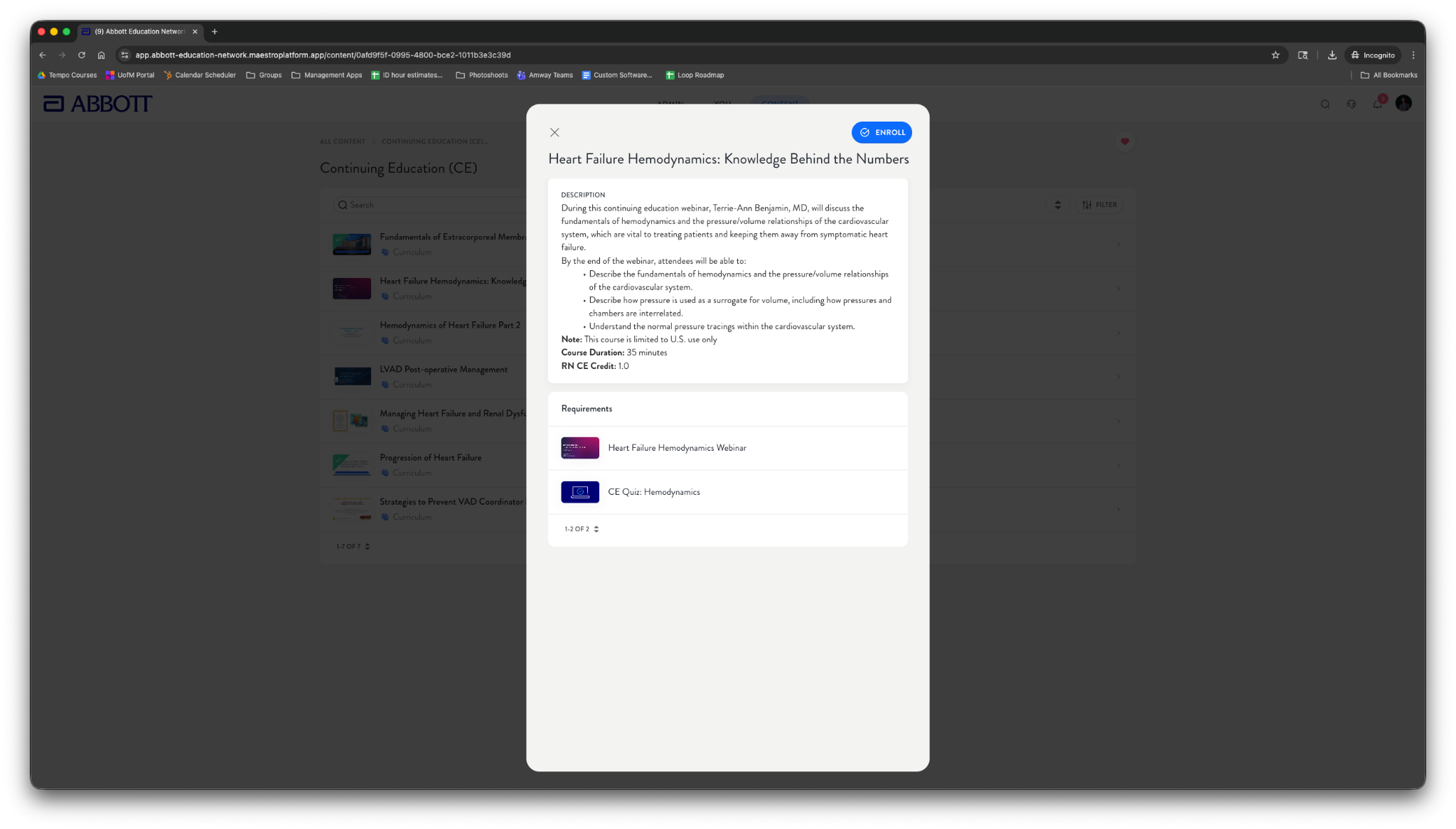
Step 4: Enroll
Select Enroll.
Once enrolled, you will be taken to the Curriculum details view, where you can begin completing the required items.
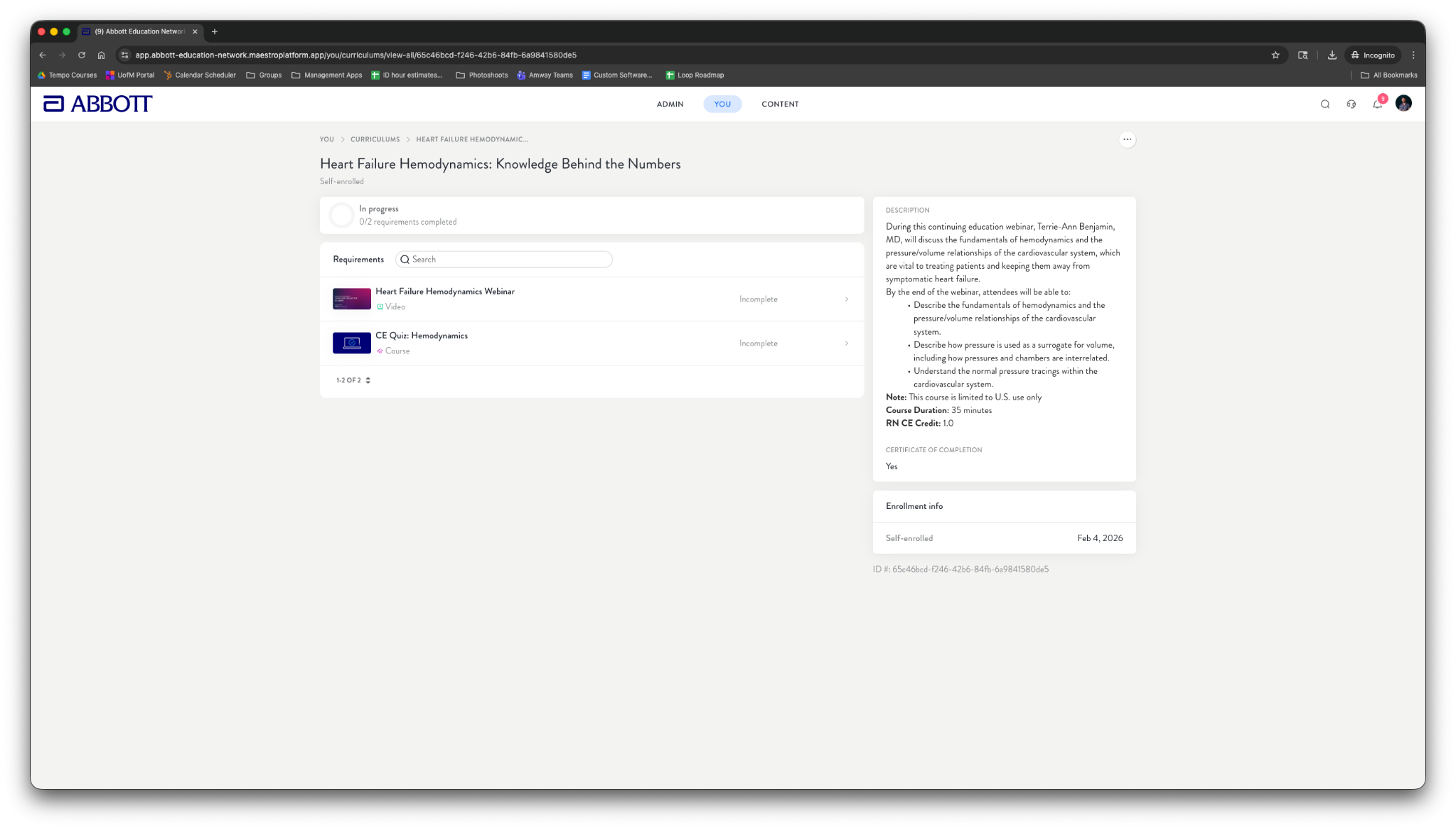
After You Enroll
The curriculum will appear in your assigned or in-progress learning areas.
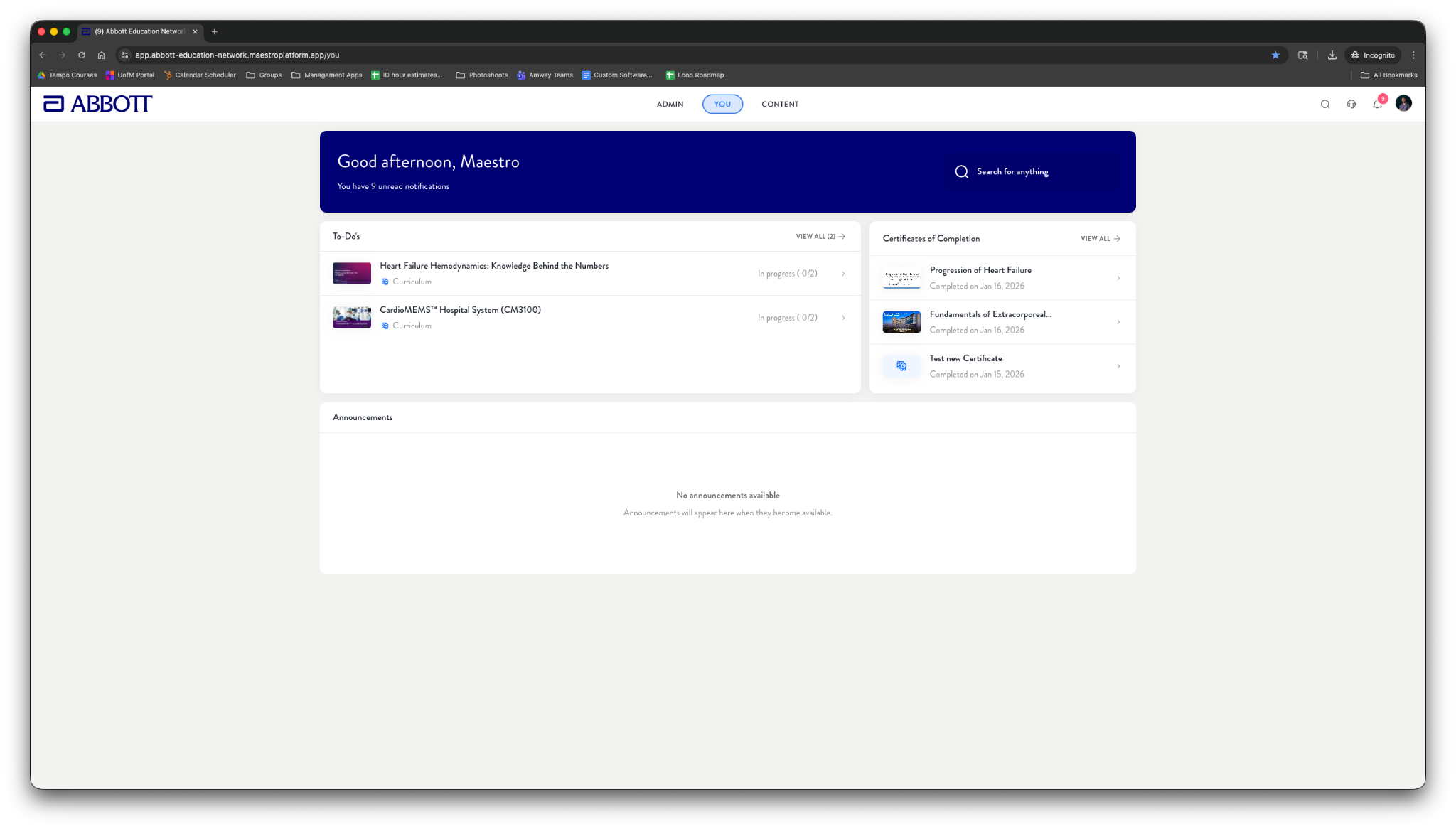
For easier access, enrolled curricula will also appear in your To-Do’s section on the You tab dashboard.
You can begin completing the curriculum requirements immediately.
Tips
Review the requirements list before enrolling so you understand what is required to complete the curriculum.
If you do not see a curriculum you expect to have access to, contact Support.
Related Articles
Was this article helpful?
That’s Great!
Thank you for your feedback
Sorry! We couldn't be helpful
Thank you for your feedback
Feedback sent
We appreciate your effort and will try to fix the article